Answers to common questions, and a real person if you need one.
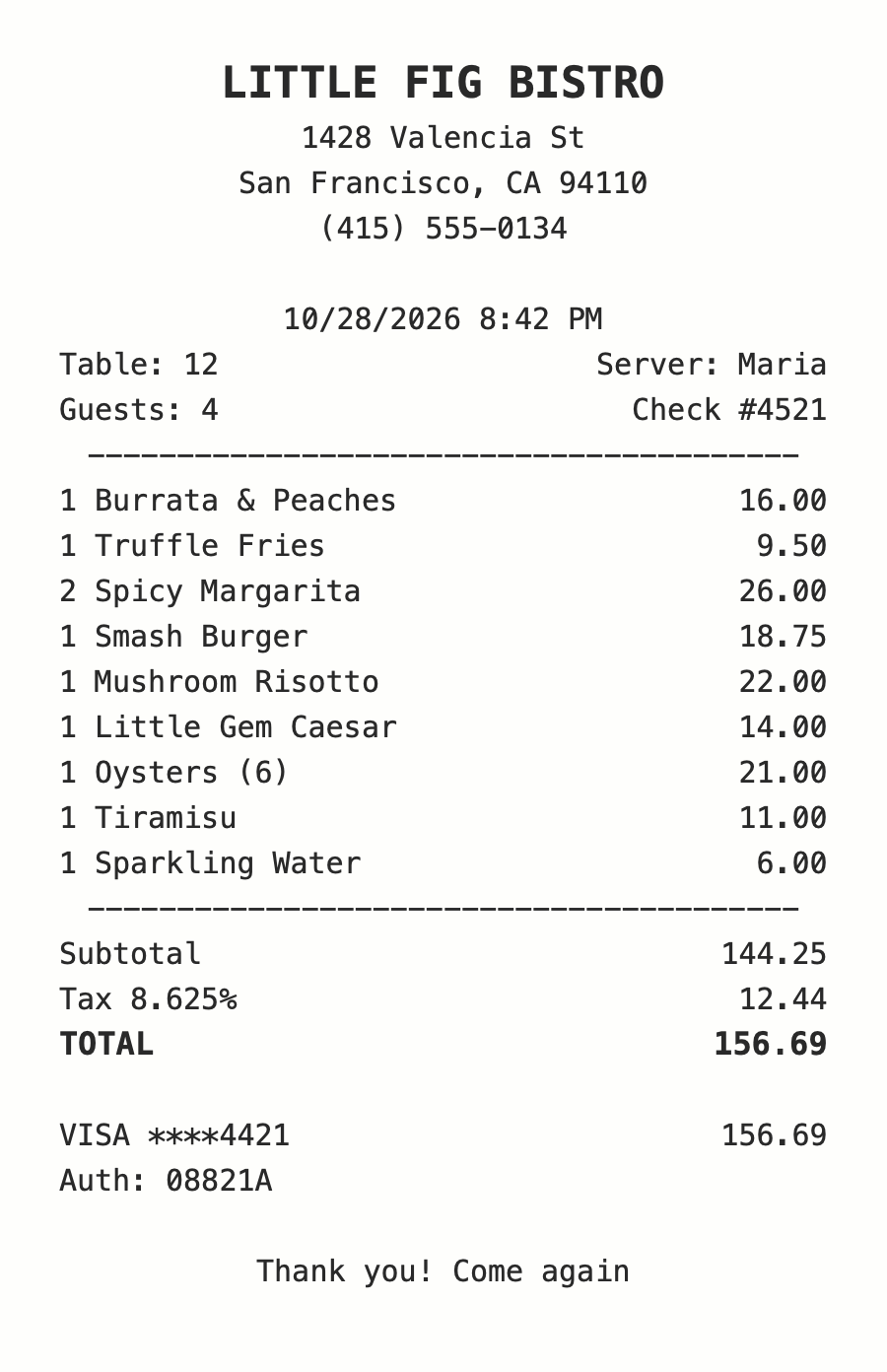
Try it without a dinner. Open this sample receipt on your iPhone, press and hold it and choose Save to Photos (or Copy), then tap “Upload receipt photo” (or Paste) in Splitsies.
Or just tap “Try a sample bill” on the home screen. It's always free.
No, only the person who paid. Everyone else gets a Venmo request or a text with their share and what they had.
Tap the item, then the pencil to fix its name or price (or the trash to remove it), or use Add item. Splitsies compares what it read with the total printed on the receipt and tells you if it's short or over, so you know when something's missing. Flat, well-lit photos with the whole receipt in frame read best.
No prices were found in the photo. Try a clearer, closer photo, or tap Add items to type them in yourself; the rest of Splitsies works the same.
If the receipt has a tip line, Splitsies uses it. Otherwise it starts at 20% of the food, and you can change it (as a percentage or an amount) under Tax & tip. Tax and tip are split in proportion to what each person had, and everyone's share is worked out in whole cents so they add up to the total exactly.
Talk the way you would at the table. For example: Alex had the risotto.
Sagar and I split the oysters.
Everyone but Lauren had wine.
We all shared the apps.
You can say it all in one go, pause, and keep going. Splitsies shows what it understood for each part, and anything nobody mentioned stays on the table for you to place.
Splitting by voice uses Apple Intelligence on your iPhone, so it needs an iPhone that supports it, with Apple Intelligence turned on in Settings → Apple Intelligence & Siri. Right after you turn it on, it can take a few minutes to finish setting up. On other iPhones, drag items onto people; everything else works.
Splitsies listens for the names at the table and the dishes on the bill, but unusual names can still trip it up. Nothing moves until you apply it: confirm or reject each suggestion (or Accept all), tap Edit to change what you said, and drag any item to the right person afterwards.
If you allow it, Splitsies looks at photos taken within about two hours of the bill and finds the faces in them, on your iPhone. Tap a face to name it; next time, Splitsies recognizes that friend in your photos. Suggestions can be wrong — press and hold a face to fix it. Your photos are never uploaded or changed.
Tap the gear on the home screen. Forget Faces erases every face Splitsies has learned; Clear Usual Crew removes the people you've split with and their Venmo usernames; Delete Saved Receipts removes past receipts.
Open the iOS Settings app → Apps → Splitsies, and turn on Photos (Full Access), Contacts, Microphone or Speech Recognition.
Tap Request and Venmo opens with the person, the amount and a note listing what they had. Review it and send it in Venmo. If you've saved their Venmo username (or it's on their contact card), it goes straight to them; otherwise Splitsies uses their phone number or email and asks you to check it first. Splitsies never sees your Venmo account or moves money.
If the Venmo app isn't installed, Splitsies opens the same request on venmo.com. If neither opens, make sure you're signed in to Venmo, or use Text to send their share in Messages instead.
Splitting is free, with no limits: scanning receipts, dragging items to people, your usual crew and Venmo requests. Smart Split is a one-time $2.99 unlock for splitting by voice (or by typing who had what) and from group-chat screenshots. There's no subscription. Smart Split uses Apple Intelligence, so it needs an iPhone that supports it.
Make sure you're signed in with the same Apple Account you bought it with, then tap the gear on the home screen → Restore Purchases. Family Sharing is included, so people in your Family Sharing group get it too.
Purchases are handled by Apple. Request a refund at reportaproblem.apple.com.
No. Receipts, your voice, chats, photos and faces are processed on your iPhone and never sent anywhere. Splitsies has no account; it only counts which features get used, anonymously (Settings → Share Usage Data turns that off), and records the Smart Split purchase. Read the full privacy policy.
 Splitsies